
An operations director inherits a web application that the whole company runs on. It was built eight years ago and it works. Orders go in, invoices come out. But the supplier who built it has moved on, the screens do not fit a phone, and every request for a change comes back with a longer estimate than the last. Someone on the board says the word "modernization", and the director is asked to bring a proposal.
The word is used by vendors to sell almost anything, so it helps to pin it down before spending against it.
What application modernization is
Application modernization is changing an existing, working application so that it meets today's needs, without losing what it already does well. The important words are "existing" and "working". It is different from building something new, where there is nothing to protect, and from maintenance, which keeps things as they are.
The work can be small or large: moving to current hosting, upgrading the platform, replacing one part with a product, or rebuilding the structure. These options are set out in legacy system modernization approaches. What they share is a starting point. There is a system in use, with users, data and history, and the job is to carry those forward.
It is also not a redesign. A new look on an old platform changes how the application appears and none of the reasons it is hard to live with.
Signs that it is time
Age alone is not a reason. An old application that is supported, fast enough and easy to change should be left alone. These are reasons:
- Support is ending. The platform or a major component no longer receives security fixes, or will stop within a year.
- Change has become slow. Small requests take weeks. This is technical debt showing up in the calendar.
- It does not connect. The business now needs it to exchange data with other systems, and it was not built to.
- Users have moved. Customers or staff use phones, and the application assumes a desk.
- It depends on one person or one supplier. Nobody else can safely change it.
- It is losing ground. For a public site: slower pages and falling search visibility compared with a year ago.
One sign is a reason to plan. Three or more are a reason to act this year.
What makes it risky
The risk in modernization is not the new technology. It is losing something the old system did that nobody wrote down. A discount rule. A report the accounts team relies on. Three hundred web addresses that other sites link to.
Martin Fowler describes the temptation plainly: it is easy to treat the job as a simple replacement, because we assume we know what the old system does. His alternative is to replace it gradually, a piece at a time, so that both the investment and the returns appear step by step and each step teaches something about the next.
That is why the order of work matters more than the choice of technology.
How to start
- Inventory. List what the application does and holds: screens, pages and their addresses, rules, reports, connections to other systems. Include the odd cases.
- Baseline. Measure it as it is: speed, faults, search visibility if it is public, and the time a standard change takes. Without this nobody can say afterwards whether the work paid off.
- An approach for each part. Decide part by part: keep, remove, move, replace or rebuild. The whole application rarely needs the same treatment.
- Stages. Order the parts so that each stage goes live and is checked against the baseline before the next begins. Put the part that hurts most, or expires soonest, first.
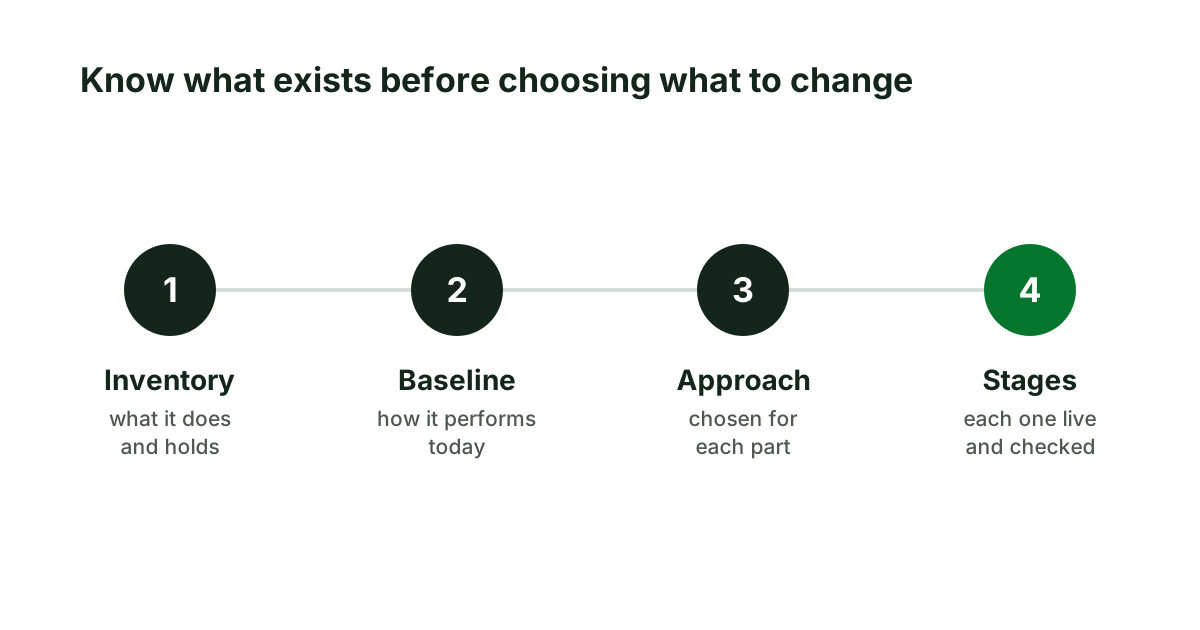
The first two steps are cheap, quick and useful even if you then decide to do nothing.
A worked example
Go back to the invented order application. The inventory finds sixty screens, of which staff use fourteen daily, and two connections to other systems that nobody had mentioned. The baseline shows the daily screens are fast enough at a desk and unusable on a phone, and that the platform loses support in ten months.
The plan follows from that. Remove twenty screens nobody opens. Upgrade the platform first, because of the date. Rebuild the fourteen daily screens for phones, three at a time. Leave the rest as they are. The proposal the board receives has four stages, each with a measure, and the first can be judged within weeks.
What to do next
If you recognise three of the signs, ask for an inventory and a baseline before asking for a proposal. Our website modernization service begins with exactly that, as a fixed-scope assessment, and the sample assessment shows the result for a real site.
Sources
- Martin Fowler, Strangler Fig, revised 2024.
Keep reading
Technical debt, explained for the person who pays for it
What technical debt is, where it comes from, how to tell useful debt from neglect, and the signs that it now costs more than fixing it would.