
Three suppliers are asked to quote for "modernizing" the same ten-year-old customer portal. The first proposes moving it to new hosting for a modest fee. The second proposes replacing it with a subscription product. The third proposes rebuilding it over nine months. The prices differ by a factor of twenty, and each supplier is confident.
None of them is being dishonest. "Modernization" covers several different pieces of work, and each supplier quoted for the one it sells. Before comparing prices, a buyer needs the names of the approaches and a way to tell which one the problem calls for. If the term itself is unclear, what application modernization means comes first.
The seven approaches
The most widely used list comes from cloud migration, where Amazon Web Services describes seven strategies known as the 7 Rs. They were written for moving systems to the cloud, but they describe the choices for any ageing system. Here they are in order of how much changes.
- Retain. Leave it as it is, on purpose, for now.
- Retire. Switch it off. Some systems, and many pages, are no longer needed.
- Rehost. Move it unchanged to different infrastructure. Often called lift and shift.
- Relocate. Move it to a different environment of the same kind, without changing how it runs.
- Repurchase. Replace it with a product you subscribe to.
- Replatform. Move it and make targeted improvements on the way, such as a current version of the content system or a managed database.
- Refactor or re-architect. Change how the system is built to gain what the old structure could not give.
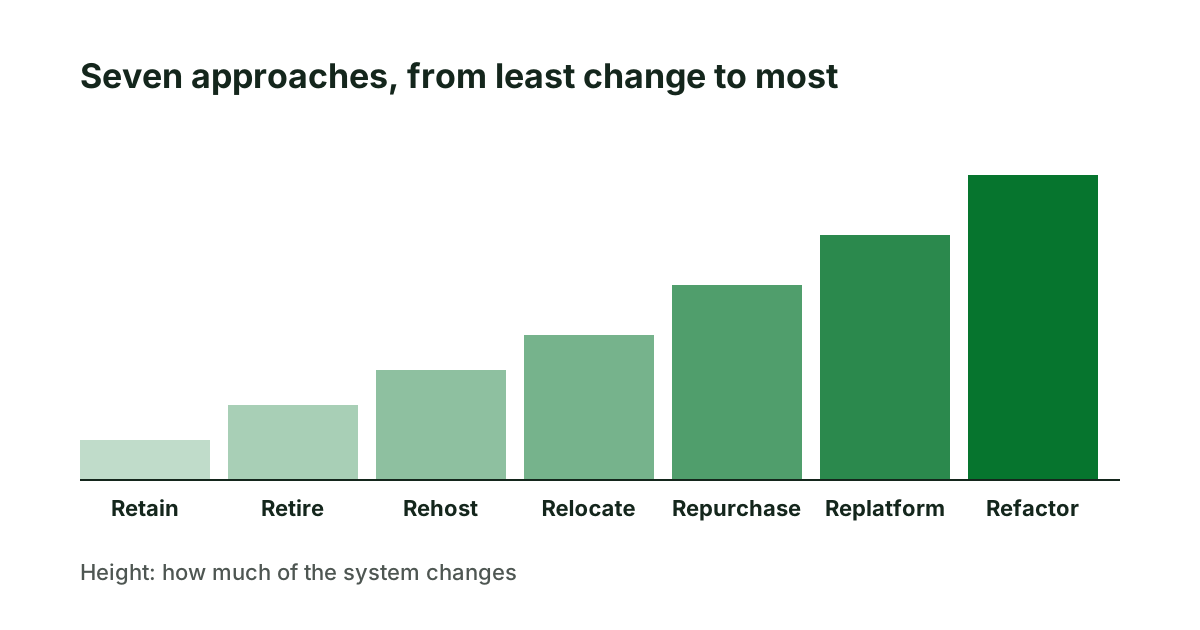
The AWS guidance adds a caution worth repeating: refactoring during a large move is the most complex of the strategies, and it recommends moving first and modernizing afterwards.
What each means for a website
For a website or web application, the seven reduce to five practical choices.
- Keep and maintain (retain). Right when the site works, the platform is supported and change is rare.
- Remove (retire). Old sections, forgotten subdomains and pages nobody visits. This belongs in every project, because what is removed does not have to be migrated. Addresses that earned links are redirected, not dropped.
- Move (rehost, relocate). New hosting, same site. It fixes a slow or unreliable server. It does not fix an outdated platform or a tangled build.
- Replace with a product (repurchase). A hosted shop or booking system in place of custom code. Fast, and it hands the upkeep to someone else. The cost is that your process must fit the product.
- Rebuild (replatform, refactor). The same site on a current platform, or a new structure altogether. The only choice that removes deep technical debt, and the one with the most to lose if the existing pages and addresses are not carried over carefully.
How to choose
Start from the problem, not the approach. Four questions settle most cases.
- What is actually wrong? Slow server: move. Unsupported platform: rebuild or replace. Hard to change: rebuild. Nothing, but it is old: keep.
- Is what the system does special to you? If a standard product does the same job, replacing is cheaper than rebuilding. If the system carries rules that set your business apart, it is not.
- What has the system earned? Search rankings, inbound links, saved customer accounts. The more it has earned, the more a careful, staged approach is worth.
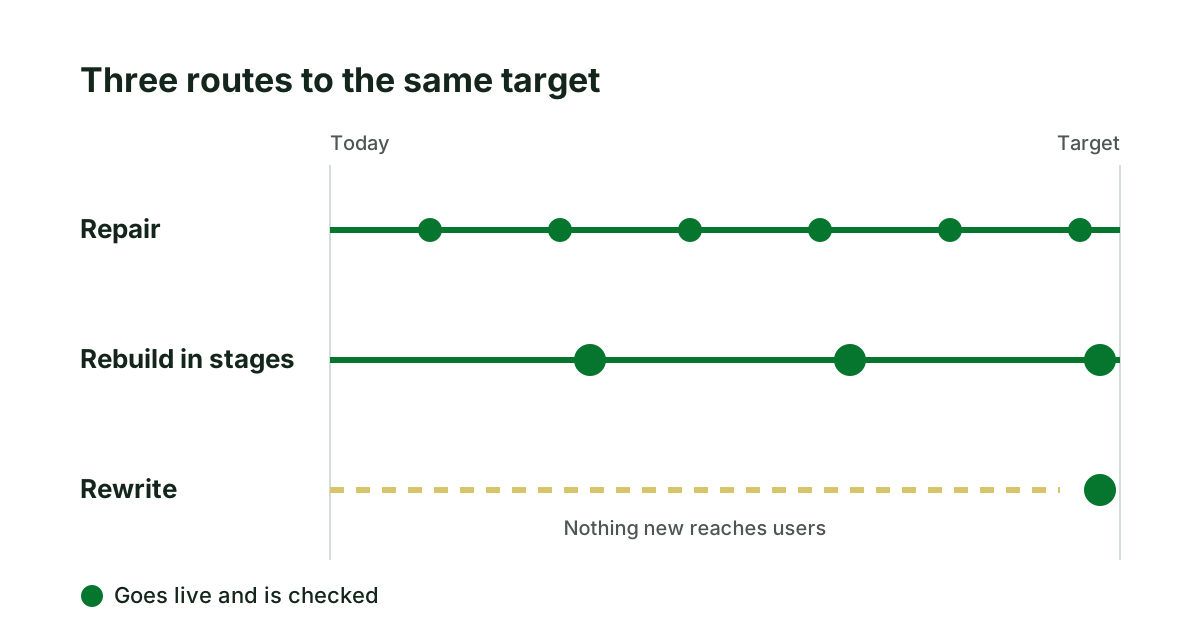
- How long can you live without changes? If not long, choose an approach that delivers in stages. The risks of doing it all at once are set out in when rewriting a legacy application is the wrong call.
Most real projects combine approaches: retire a third of the pages, replace the shop with a product, rebuild the rest.
A worked example
Return to the invented customer portal and its three quotes. Asking the four questions gives this.
What is wrong: the platform is out of support and customers complain about speed on phones. Is it special: the document library is ordinary, the quoting tool is the company's own method. What has it earned: little in search, but four thousand customer accounts. Can the business wait: no, the quoting tool changes every quarter.
So the answer is none of the three quotes on its own. Move to new hosting now, because it is cheap and helps speed at once. Replace the document library with a product. Rebuild the quoting tool in stages, keeping the accounts. The first supplier's work is step one, the second's is step two, and the third's shrinks to a third of its size.
What to do next
Before asking for quotes, write down the answers to the four questions and ask every supplier to say which approach they are proposing for each part of the system, and why. Quotes then become comparable. If you want that groundwork done independently, it is what our website modernization assessment delivers.
Sources
- Amazon Web Services, About the migration strategies, AWS Prescriptive Guidance.
Keep reading
Rewriting a legacy application: when it is the wrong call
A rewrite feels clean and often fails. How to judge whether to repair, rebuild in stages or rewrite a legacy application, and what to check first.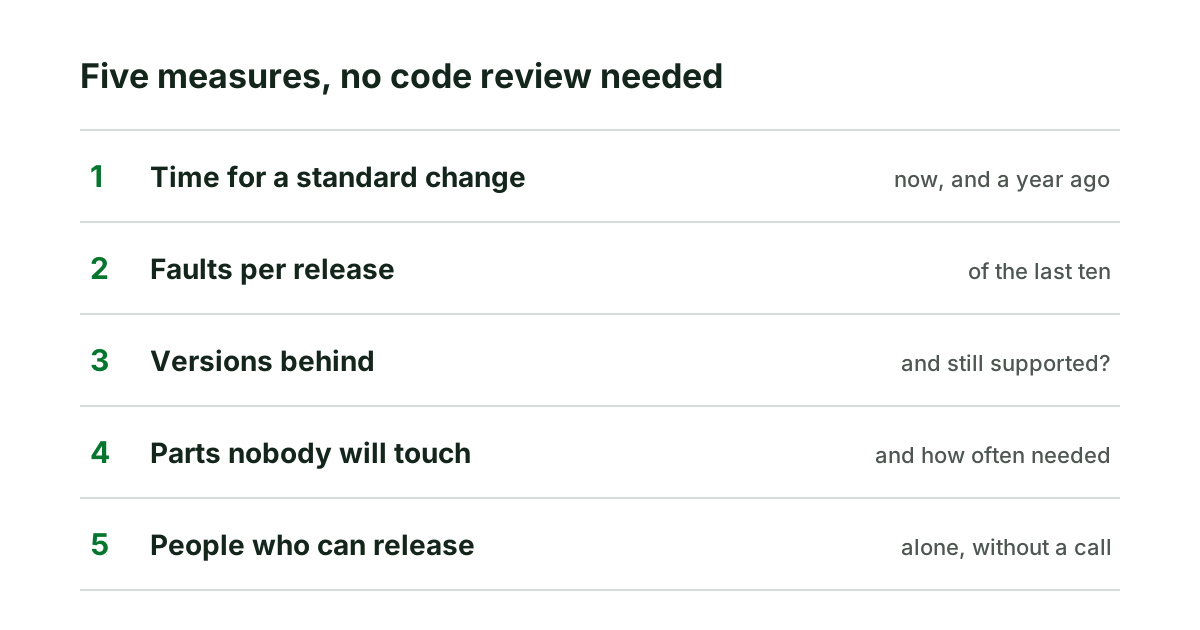
Measuring technical debt without reading the code
Five measures a non-technical owner can ask for to size technical debt, how to read them together, and why a single debt score misleads.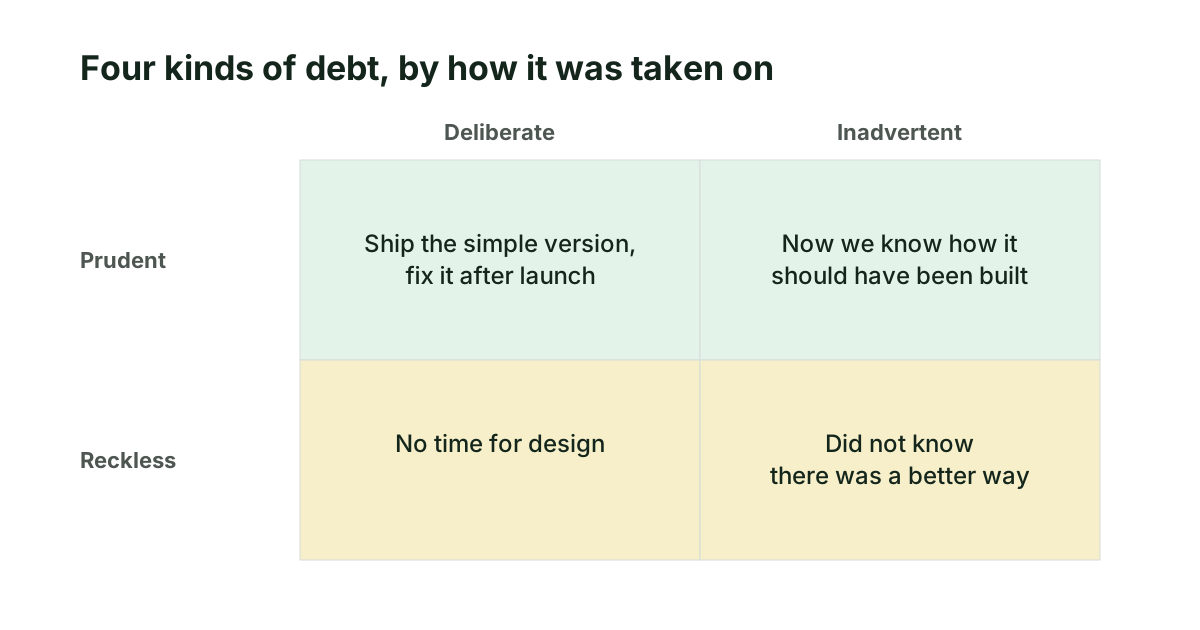
Types of technical debt, and which ones to worry about
Technical debt is not one thing. The four kinds by how they were taken on, the six places they sit in a website, and which deserve attention first.