
A furniture retailer replaces its stock and delivery system over a long weekend. The old system is switched off on Friday evening and the new one opens on Tuesday morning. By ten o'clock the shop floor has found the problem: customers are being offered delivery dates for sofas that have not left the factory. The old system had a rule that held back made-to-order items. Nobody had listed it, because nobody remembered it was a rule.
There is no going back, because Friday's data has already been changed by Tuesday's orders. The project had a good plan for building the new system. It had no plan for the replacement itself, which is a different piece of work.
Why replacements go wrong
Most replacements begin with the same instruction: the new system must do everything the old one does. It sounds like the safe choice. The Thoughtworks authors who catalogued these projects call it feature parity, and write that "we have learnt the hard way that people greatly underestimate the effort required". Even writing down what the old system does can be a large job, and it is the job the retailer skipped.
Parity has a second cost. It carries forward everything, including what nobody uses. The same authors suggest stepping back to "understand what users currently need" before deciding what the new system must do.
The third cause is the single switch. Everything moves in one night, so every mistake is found at once, by customers. How an application comes to be in this position is described in legacy applications: what makes one, and what to ask, and the case against starting from scratch in when rewriting a legacy application is the wrong call. This article is about the move.
Decide what not to carry over
Before anything is built, sort what the old system does into three lists.
- Needed as it is. Rules and screens in daily use. Each gets a written description and a test.
- Needed, but differently. Things people do through the old system only because it forces them to: the export retyped into a spreadsheet, the report nobody reads past page one.
- Not needed. Screens nobody opens, pages nobody visits, options added for a customer who left.
The way to find the first list is to watch the system in use and read its records, not to ask for a description from memory. Rules that work are invisible to the people who rely on them.
Move in parts, with both running
Software developers have a pattern for changing something that other things depend on, which Danilo Sato describes as parallel change. It was written for program code, and it applies equally to a whole system. It has three phases.
- Expand. Put the new part in place beside the old one. Both work.
- Migrate. Move the users of the old part to the new one, a group at a time.
- Contract. When nothing uses the old part any more, and only then, remove it.
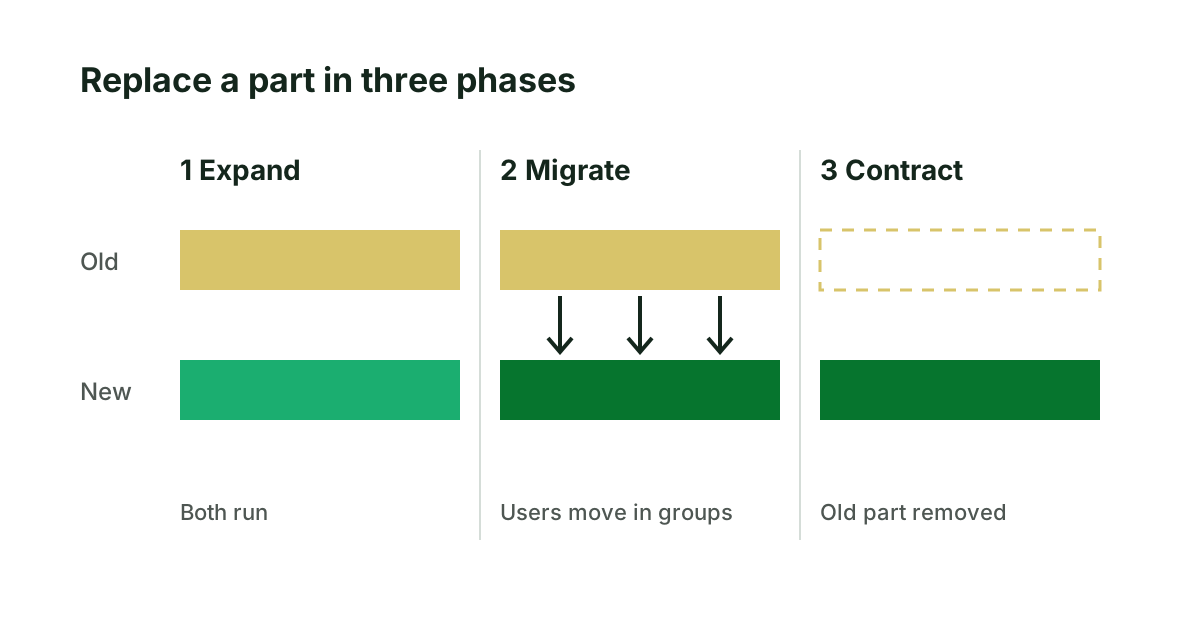
The middle phase is where the safety lies. While both run, a fault in the new part affects one group, and that group can be moved back. It costs something: for a time two systems must be kept in step. That cost is the price of being able to undo a mistake, and it is small beside a Tuesday morning like the retailer's.
The data, the addresses and the way back
Three things need their own plan, whatever the system is.
- The data. Move it in a rehearsal first, more than once. After each run, compare counts and totals between old and new: number of customers, open orders, stock value. Differences found in rehearsal are cheap.
- The addresses. For anything public, every address that people or search engines know must lead somewhere after the move. The redirects are written and tested before the switch, not after.
- The way back. Decide in advance what would make you return to the old system, and until what moment that is possible. Once the new system has taken real orders, going back means moving data the other way. Know where that point is before you pass it.
The furniture retailer replaces its system in parts
Let the invented furniture retailer replace the system a second time, in parts.
The three lists come first. Two weeks of watching the warehouse and reading the old system's records produce thirty-one rules in the first list, including the one that holds back made-to-order items. Nine reports go into the third list. Then the order of the move: stock enquiries first, because they only read data and cannot damage anything. Staff in one shop use the new stock screen for a fortnight while the old one stays available. Then delivery booking, for that shop only, with both systems receiving every booking and a daily comparison of the two.
The comparison finds four differences in the first week. Three are faults in the new system. The fourth is a fault in the old one that had been giving a wrong date for years. After two clean weeks the other shops move, one region at a time. The old delivery screens are removed a month after the last shop has stopped opening them. The data was moved in rehearsal three times before the first shop went live, and the totals matched on the third.
The whole replacement takes longer on the calendar than the long weekend did. At no point is there a morning when the shop floor finds out what was forgotten.
Before any replacement quote is accepted
- Ask for the three lists before any quote for a replacement is accepted.
- Ask which part moves first, and which group of users tries it.
- Ask how the data move will be rehearsed and what will be compared.
- Ask what the way back is, and when it closes. The order of the parts belongs in a roadmap, described in an application modernization roadmap you can hold a team to.
For a website or web application, the first list is an inventory of pages, addresses and integrations, and the redirect plan is part of the move. That is the ground our website modernization assessment covers before a rebuild is agreed.
Sources
- Ian Cartwright, Rob Horn and James Lewis, Feature Parity, in Patterns of Legacy Displacement, 2021.
- Danilo Sato, Parallel Change, 2014.
Keep reading
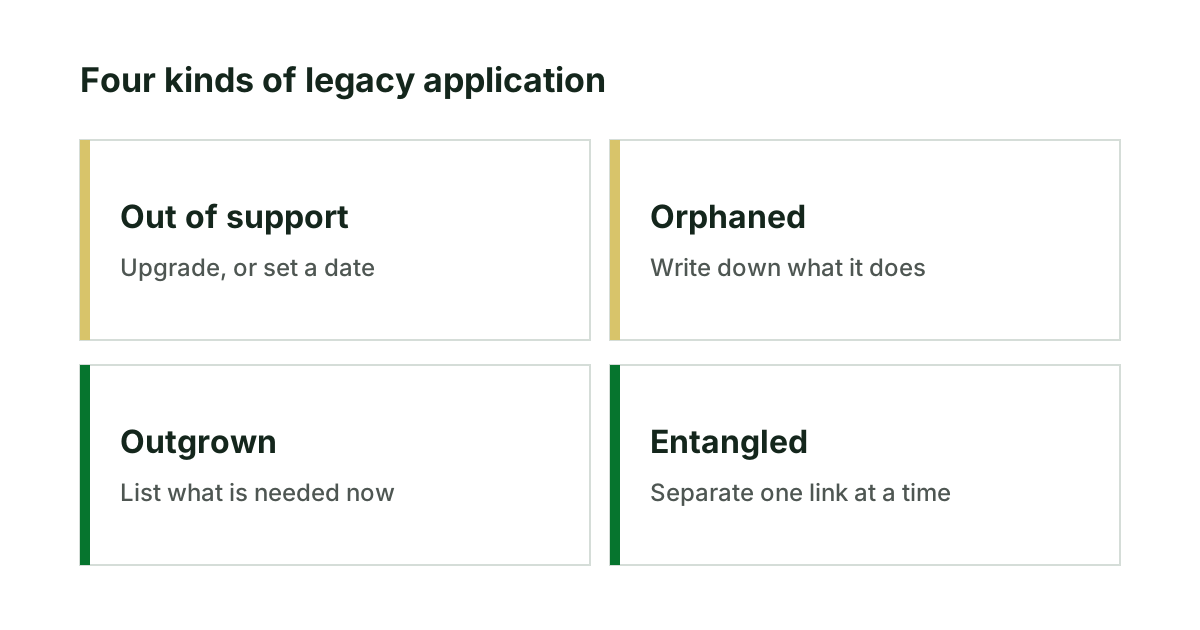
Legacy applications: what makes one, and what to ask
What makes an application legacy has little to do with age. The four kinds, six questions that place yours, and what each kind needs.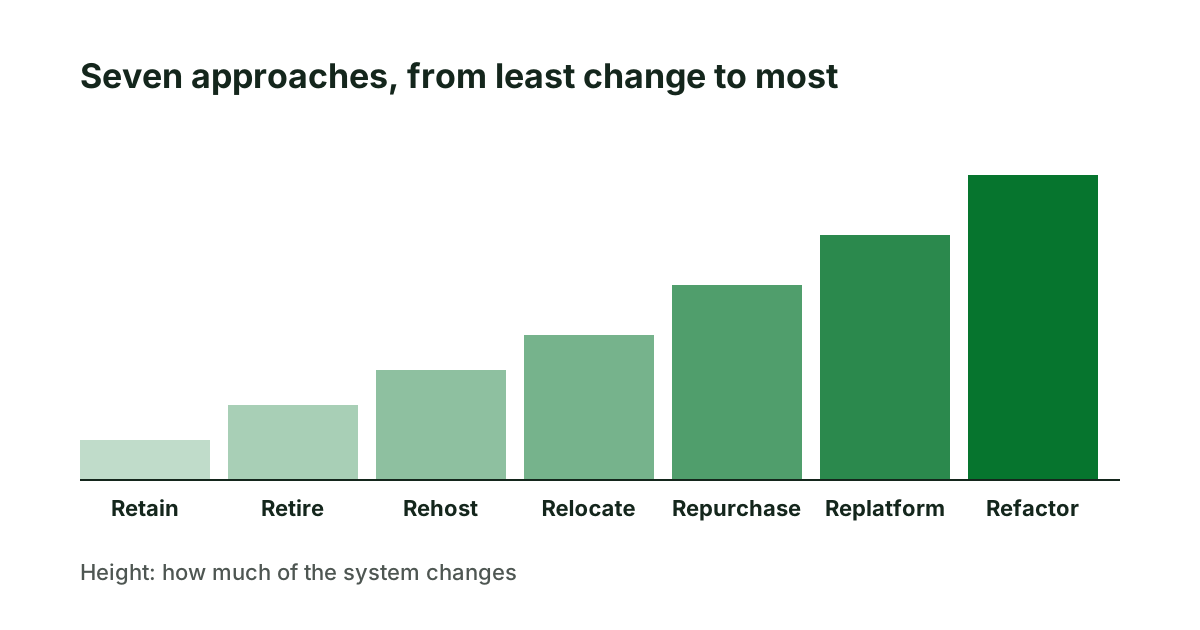
Legacy system modernization approaches, in plain terms
The seven standard approaches to modernizing a legacy system, what each means for a website or web application, and how to choose between them.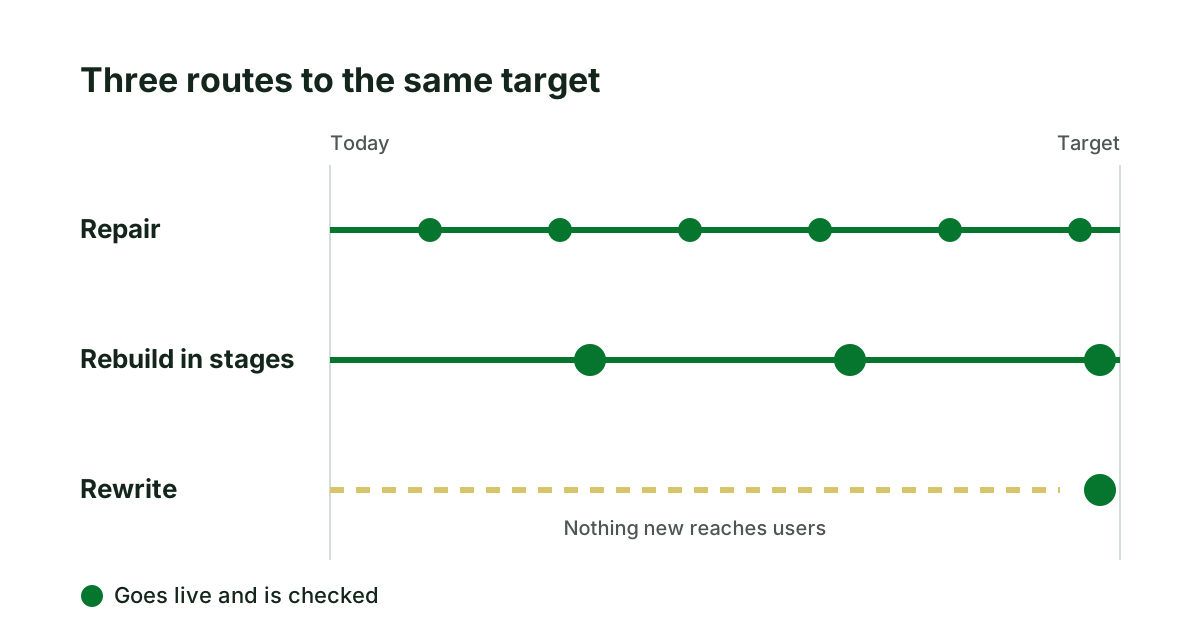
Rewriting a legacy application: when it is the wrong call
A rewrite feels clean and often fails. How to judge whether to repair, rebuild in stages or rewrite a legacy application, and what to check first.