
A professional association is rebuilding its website. The old one holds fifteen years of member records: who joined when, which qualifications they hold, what they have paid. The new site is designed, built and tested with twenty made-up members. Two weeks before launch, the real records are loaded for the first time.
Four thousand of eleven thousand fail to import. Some have two email addresses in one field. Some have a qualification typed into the address line, because that was where staff put it before a proper field existed. The launch moves by three months. The application was modernized on schedule. The data had been left for the end, and the data was the larger job.
Why the data is the longer-lived part
An application can be replaced in a year. The records inside it were collected over many years and will be needed for many more. In most systems that matter, the data is the asset and the application is the current way of reaching it.
Legacy data modernization is the work of carrying those records forward into a form the business can use today: deciding what to keep, correcting what is wrong, giving each piece of information a proper place, and moving it without loss. It can be done as part of replacing an application or on its own.
It is harder than it looks for a reason that has nothing to do with technology. Over the years people have adapted the old system to what they needed, by using its fields in ways the designers never intended. The system's own description of its data and what the data actually contains have drifted apart, and only the second one counts. This is debt of the kind nobody chose, described in legacy technical debt: the debt nobody decided to take.
Five questions about the records
These can be answered by the people who use the records, with a developer running the counts. Ask them before any design is agreed.
- What do we hold? Each kind of record, how many, from when to when. Include the attachments and the notes.
- What do we still need? Some records must be kept by law, some are used every day, and some have not been opened in a decade. What is not moved does not have to be cleaned.
- What does each field really contain? Look at the values, not the labels. Count the empty ones, the duplicates and the entries that do not fit the pattern.
- What changed meaning? A status that meant one thing before a reorganisation and another after. A price recorded with tax in some years and without in others.
- Who else reads it? Reports, exports, other systems. Each depends on the data staying where and how it is.
The third question is the one that would have saved the association its three months. It takes days, and it can be asked at the very beginning.
How to move it
Four practices separate a safe move from a hopeful one.
- Use real data from the start. Pramod Sadalage and Martin Fowler, describing how databases are changed step by step, write that after seeing projects work with real records converted from old systems, "we are now of the view that you should try to introduce real data from the very first iteration of your project". Their reason is the association's lesson in reverse: it helps "flush out data conversion problems early".
- Convert by script, not by hand. The conversion is written as a program that can be run again. Each run starts from the old data untouched, so a mistake in the rules is fixed in the rules and nothing is lost.
- Compare after every run. Counts and totals, old against new: number of members, sum of payments, records per year. A difference is a question to be answered before the next run.
- Keep the old readable. After the switch, the old records stay available, read-only, for an agreed period. Someone will need to check how something looked before.
Where other systems read the same data, the change is made in a way that lets old and new exist together for a time. The same authors call it a transition phase: "a period of time when the database supports both the old access pattern and the new ones simultaneously". It is the same idea as moving users in groups, described in replacing a legacy system without losing what it does.
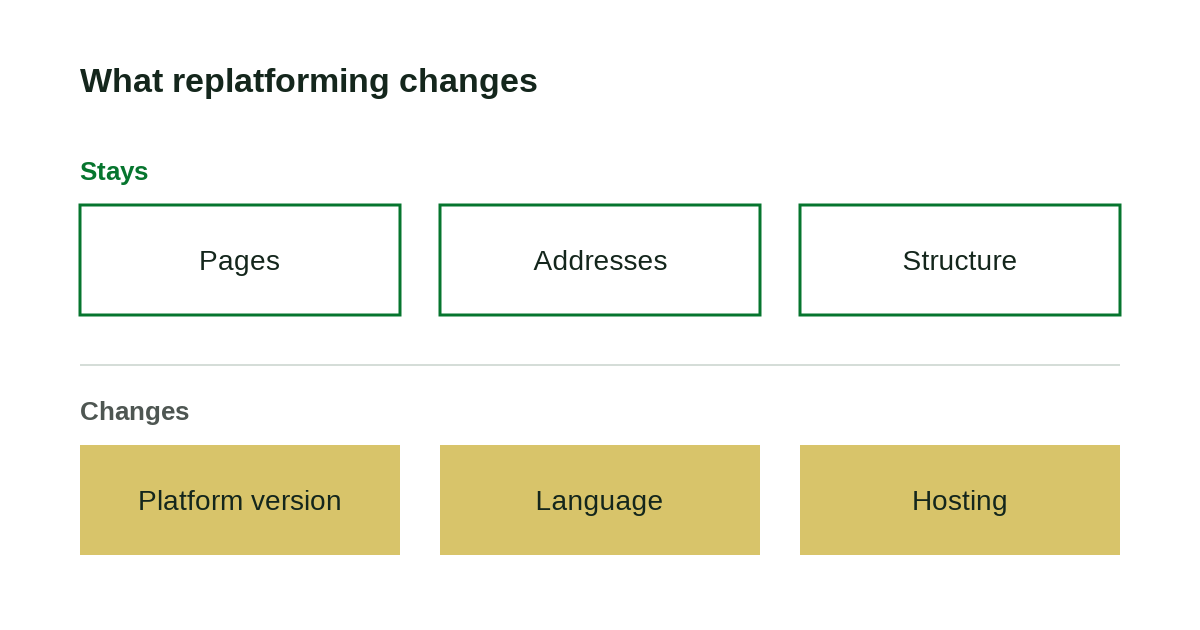
Not every case needs all of this. When the platform under an application is updated and the structure of its records stays the same, the data travels as it is, which is one reason that route is cheaper. It is covered in legacy application replatforming: when it is enough.
The association moves its data first
Let the invented association start again, with the data first.
The five questions take a week. The association holds eleven thousand member records, forty thousand payments and nine thousand uploaded certificates. Members who left more than seven years ago, about three thousand, need not move: their records are archived in a file the office can search. Looking at the values shows the problems in advance. Six hundred records have two emails in one field. Qualifications appear in three places, one of them the address. "Lapsed" meant unpaid before 2019 and resigned after it.
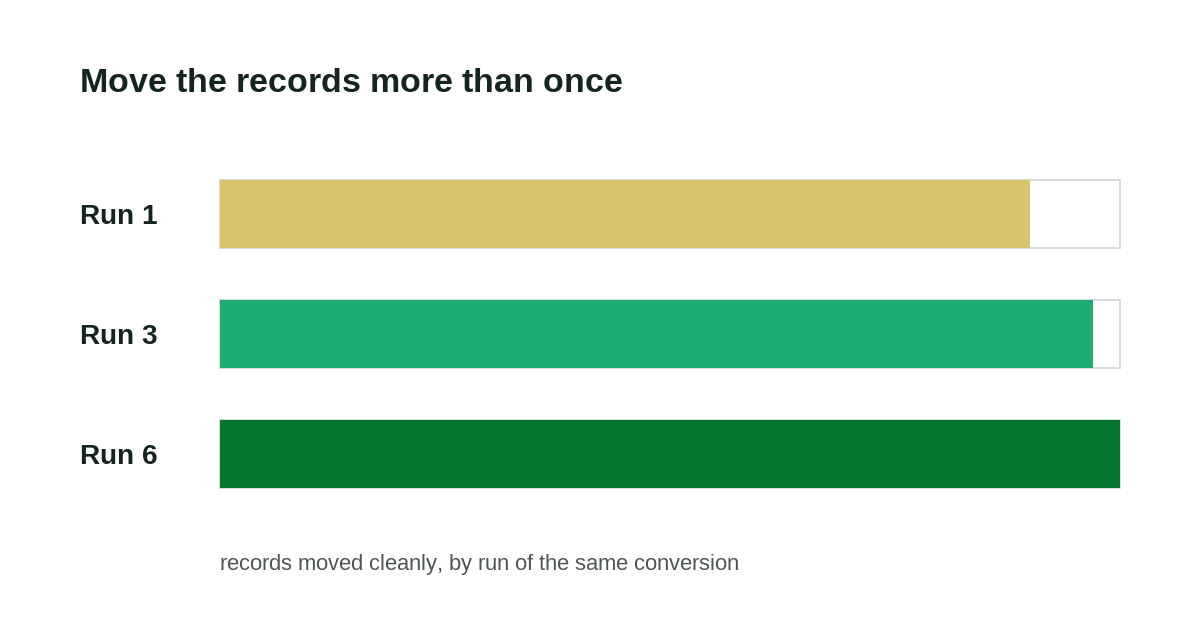
Rules are written for each: split the emails and keep the first as the contact address; collect qualifications from all three places into a proper list, and send the hundred and forty that a rule cannot read to a member of staff; turn the old "lapsed" into one of two new statuses by date. The conversion is run in the first week of the build and every week after. The first run moves seven thousand two hundred of eight thousand records cleanly. The sixth moves all of them, and the payment totals match for every year.
The new site is tested throughout with the real members, so the staff recognise what they see and catch two more oddities the counts had missed. Launch day holds no surprise in the data, because the data has already been moved six times.
Before the first record moves
- Ask for a count of each kind of record, and of the empty and duplicate values in the fields that matter.
- Decide what does not need to move, and where it will be kept.
- Ask any supplier when real data will first be loaded. The right answer is the first weeks.
- Ask what will be compared after each run, and who signs off the comparison.
For a website, the records include the pages themselves: their content, their addresses and the structured data search engines read. Accounting for all of it before a move is part of our website modernization work, which starts with a fixed-scope assessment of one site or web application.
Sources
- Pramod Sadalage and Martin Fowler, Evolutionary Database Design, revised 2016.
Keep reading
Legacy application replatforming: when it is enough
Replatforming moves an application to a current platform and keeps the rest. When that is enough, when it is not, and five questions for any quote.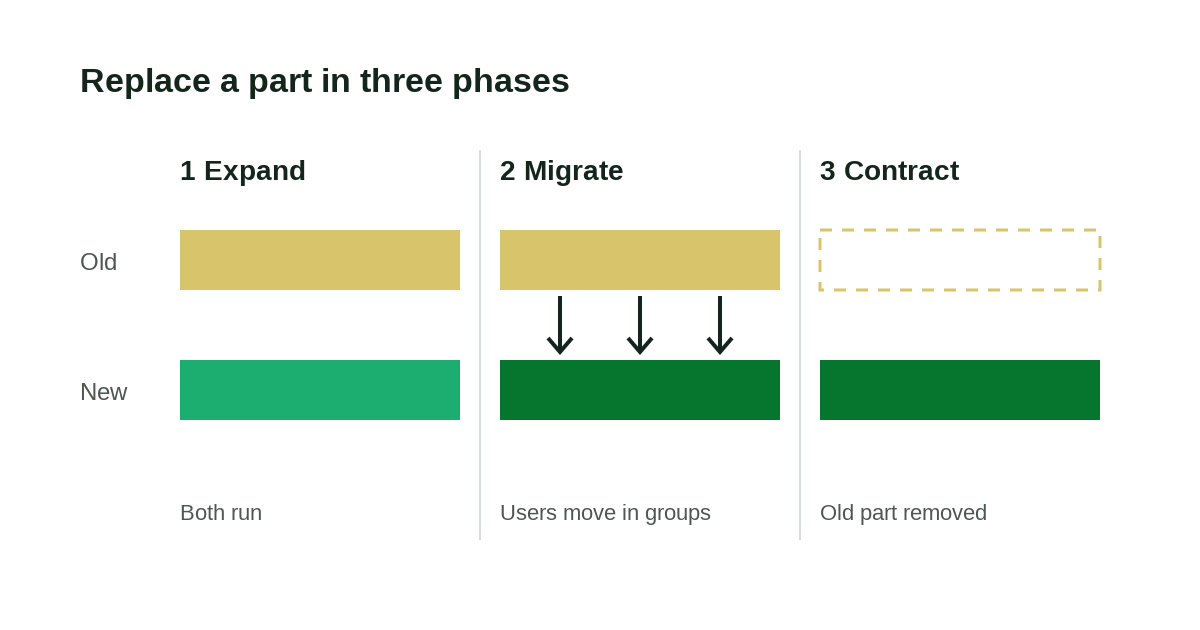
Replacing a legacy system without losing what it does
Most failed replacements were planned as a build, not as a move. What to leave behind, how to run old and new side by side, and when the way back closes.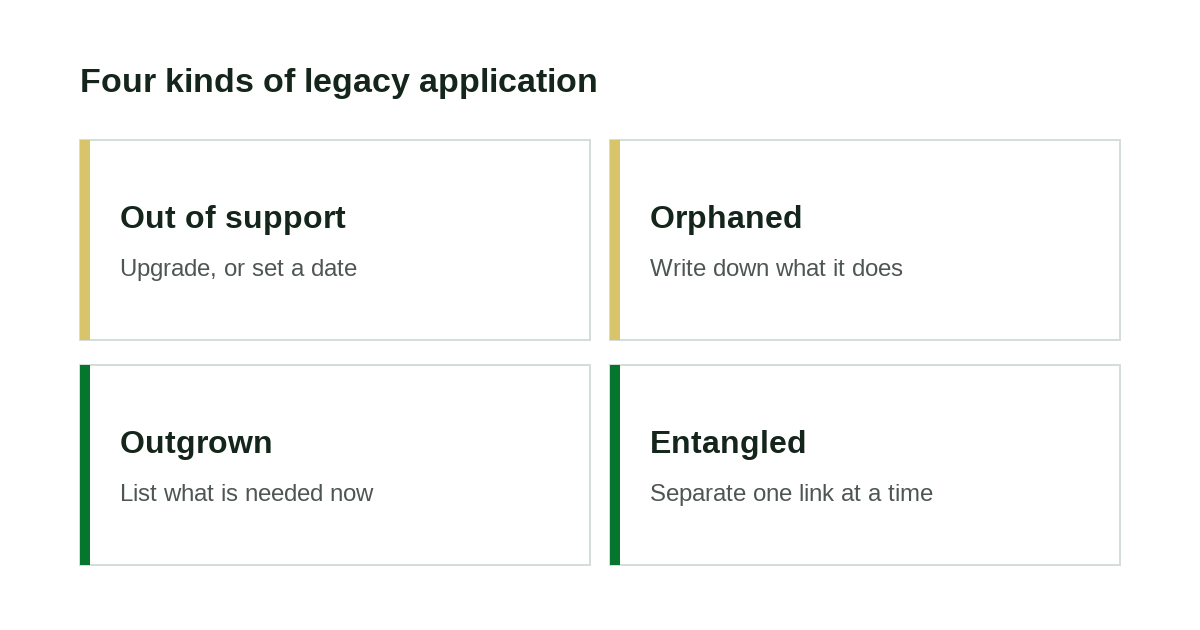
Legacy applications: what makes one, and what to ask
What makes an application legacy has little to do with age. The four kinds, six questions that place yours, and what each kind needs.