
The head of digital at a regional publisher receives the roadmap she asked for. It is one slide: five coloured bars across eighteen months, labelled Discovery, Foundation, Core Modernization, Migration and Optimization. It looks thorough. She tries a simple test and asks what a reader of the magazine's site will notice in March. Nobody can tell her.
A roadmap like this is a schedule of effort. It says when people will be busy. A useful roadmap says what will be live, and what will be known, at the end of each stage. The difference decides whether you can steer the work or only wait for it.
What a roadmap is for
A modernization roadmap is the order in which parts of an existing application are changed, with a check after each. The reason for an order at all is that the safest way to modernize is in parts. The case for that is made in application modernization: what it means and when to do it.
A team at Thoughtworks, writing on Martin Fowler's site about replacing old systems, reduces the whole job to four activities: understand the outcomes you want to achieve, decide how to break the problem up into smaller parts, successfully deliver the parts, and change the organisation so that this can keep happening. A roadmap is the second of these written down. It only works if the first has been done, which is why a roadmap with no stated outcomes has nothing to be judged against. Which outcomes the work can deliver by itself, and which depend on the business, is sorted out in benefits of application modernization you can check.
What every stage must state
Read a roadmap one stage at a time and look for five things in each.
- What goes live. Something a user or a member of staff can use at the end of the stage. "Architecture complete" is not something that goes live.
- What is switched off. The old part that the new one replaces. If nothing is switched off, you finish the stage running two systems.
- The measure. The figure that will be compared with the baseline: page speed, time for a standard change, indexed pages.
- What it depends on. Decisions, access or data that must be in place first, and who provides them.
- The decision at the end. Continue as planned, change the next stage, or stop. A roadmap that cannot be stopped between stages is one project with pauses.
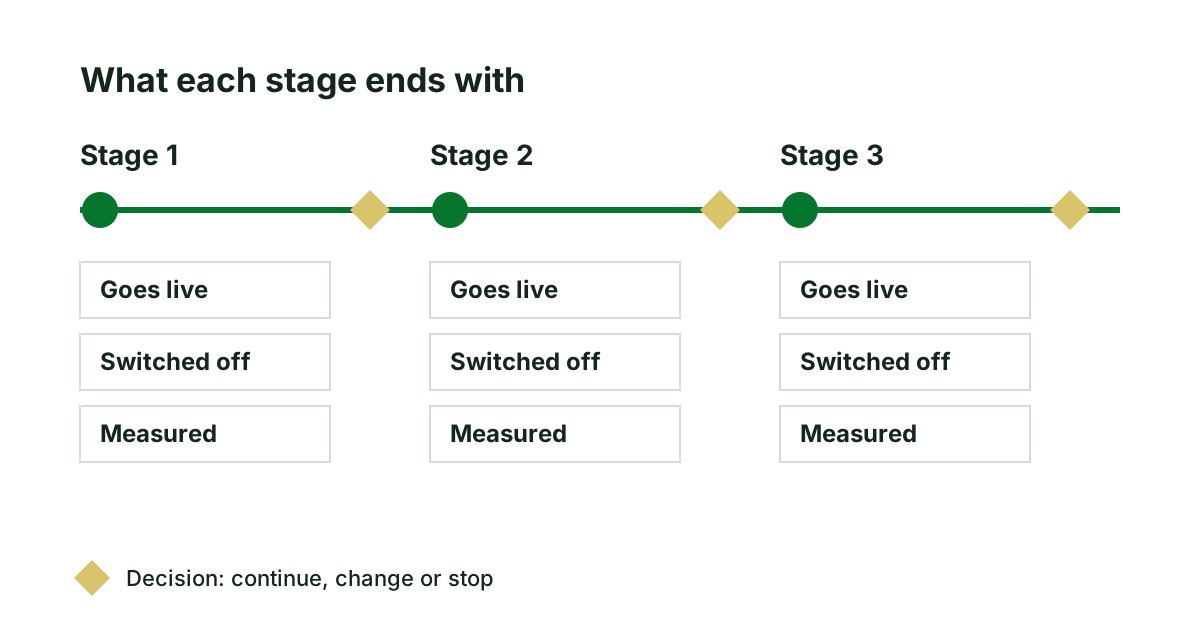
Which approach each stage uses, whether a part is moved, replaced with a product or rebuilt, is a separate choice, explained in legacy system modernization approaches. A roadmap usually mixes several.
How to order the stages
Four rules settle most of the order. They can pull against each other, and the roadmap should say which one won and why.
- Dates first. A platform that loses support in ten months sets the first deadline whether or not it is the most interesting work.
- Then where it hurts. The part the business changes most often, or the one customers complain about, repays the work soonest.
- Start small. A first stage that goes live within weeks tests the team, the release process and the measurements while little is at stake.
- Uncertain things early. A connection to another system that nobody fully understands should be met in stage two, not discovered in stage five.
Signs of a weak roadmap
- Everything goes live at the end. The same authors describe an organisation whose decision to copy its old system as it stood led to "a plan for a large single 'big bang' cut-over release". Whatever the bars are called, that is a rewrite, with the risks set out in when rewriting a legacy application is the wrong call.
- Stages named after technology. "Database migration" and "API layer" describe the builders' work. Stages named after what users get can be checked by the people paying.
- No baseline. Measures are promised but nothing has been measured yet.
- Nothing is ever removed. No stage retires a page, a screen or a system.
- Equal bars. Five stages of exactly three months each were drawn, not estimated.
The publisher's roadmap, stage by stage
Consider a publisher, invented for this example. Its site carries twelve years of articles, a subscriber area and an events calendar, all on a content system two major versions behind. The outcomes are agreed first: stay on a supported platform, keep the search visitors the archive brings, and let editors publish without a developer.
The one-slide roadmap is rewritten as four stages. Stage one, six weeks: the events calendar moves to the new platform. It is small and separate, and it tests the release process. The old calendar is switched off. Measure: page speed on a phone.
Stage two: the article pages, at their existing addresses, with redirects tested before the switch. This comes second because the old platform's support ends in the spring. Measure: indexed pages and search visits against the baseline, four weeks after launch. Decision at the end: if search visits hold, continue; if they fall, stop and fix before anything else moves.
Stage three: the editors' publishing screens. Stage four: the subscriber area, last, because it depends on the payment provider's own timetable. Moving the subscriber records is the delicate part, and is planned in the way described in replacing a legacy system without losing what it does.
Asked again what a reader will notice in March, the supplier can now answer: a calendar that works on a phone, and nothing else, by design.
Holding your roadmap to account
- Take the roadmap you have been given and write the five items under each stage. Gaps show at once.
- Ask for the first stage to be something that goes live within two months.
- Ask which of the four ordering rules put each stage where it is.
- Refuse a roadmap that has no baseline to measure against.
If there is no roadmap yet, it should come out of an assessment and not out of a sales meeting. Our website modernization assessment ends with a phased roadmap, with dependencies and the measurements to track; the sample assessment shows one.
Sources
- Ian Cartwright, Rob Horn and James Lewis, Patterns of Legacy Displacement, 2024.
Keep reading
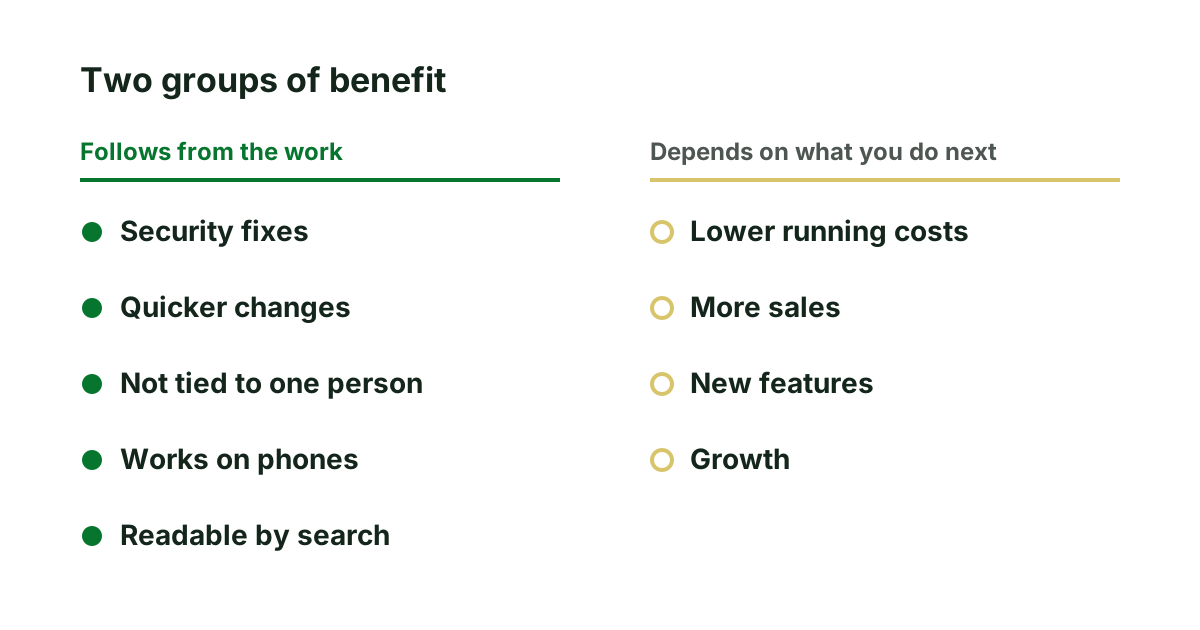
Benefits of application modernization you can check
Which benefits of application modernization come from the work itself, which depend on what you do next, and three questions that test any claim.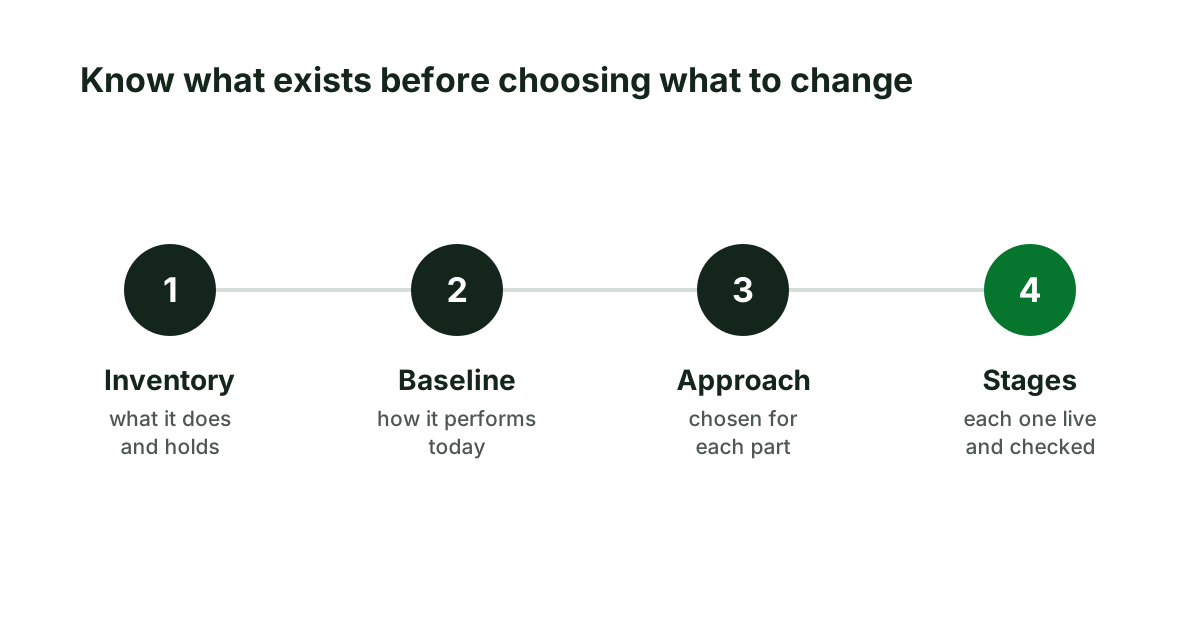
Application modernization: what it means and when to do it
Application modernization in plain terms: what it is, what it is not, the signs a web application needs it, and how to start without betting the business.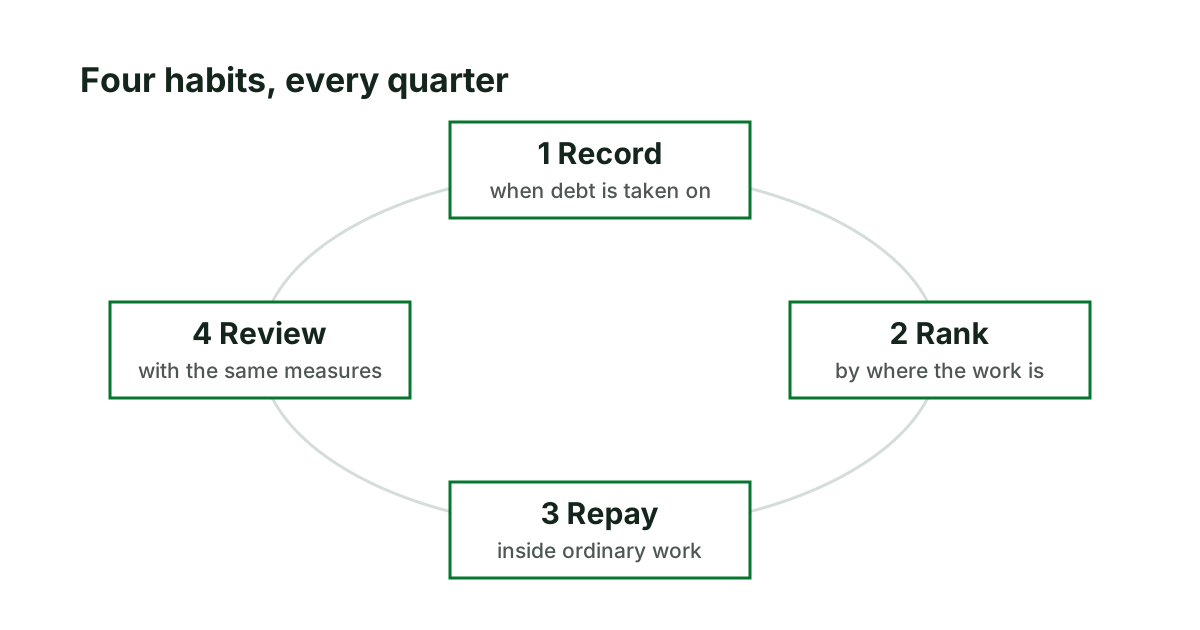
Managing technical debt as a routine, not a rescue
Clean-up projects stall because the business cannot stop for them. Four habits that keep technical debt in hand, and the decisions only the owner makes.