
A group of three hotels runs on six systems. Reservations are in one. The restaurant tills are another. Housekeeping uses an app on the staff's phones. Accounts has its own software, marketing keeps a mailing list in a fifth, and the spa takes bookings in a sixth. Each was bought for a good reason, and each works.
The general manager's problem is the space between them. A guest who books a spa treatment is not known to the restaurant. A room marked clean in the housekeeping app is still shown as occupied at the front desk for twenty minutes. Month-end means three people exporting, pasting and reconciling. She is told the answer is "enterprise application integration", which sounds like something sold to companies a hundred times her size.
What enterprise application integration is
Enterprise application integration is making the separate applications a business runs work together, so that information entered in one is available wherever else it is needed. The word "enterprise" only means the whole business, as opposed to one pair of systems. A hotel group with six systems has the problem as surely as a bank.
What changes when there are many systems and not two is arithmetic. Connecting one pair is a single path, and what that takes is set out in API integration, explained for the person who signs it off. Six systems can be paired in fifteen ways. If each pair that needs to share something is joined directly, in whatever way was quickest at the time, the result is a web that nobody designed.
The authors of Enterprise Integration Patterns describe what happens to such a web: "Integration solutions can easily get caught in an avalanche effect of changes – if one system changes, all other systems may be affected." Their conclusion is that an integration "needs to minimize the dependencies from one system to another". In plain terms: each system should know as little as possible about the others, so that one can be changed or replaced without the rest noticing.
What it gives a business
Three things, each of which can be checked afterwards.
- Information is entered once. The retyping stops, and with it the errors that retyping adds.
- The systems agree. The front desk and housekeeping show the same state of the same room.
- A system can be replaced. When each connection is separate and written down, changing the tills does not mean rebuilding everything attached to them.
What it does not give by itself is new insight, lower costs or happier guests. Those depend on what the business does with systems that agree.
Four things to map before buying anything
The work begins with a map, and the map needs no technical knowledge to draw.
- The systems. Each one, what it is for, who owns it, and whether it offers a way to exchange data. Older ones may not. How to tell what state a system is in is covered in legacy applications: what makes one, and what to ask.
- The home of each kind of information. Guests, rooms, prices, payments. For each, one system is where it is created and corrected. Every other system receives a copy.
- The connections that exist today. Including the human ones: the Friday export, the member of staff who retypes, the spreadsheet that reconciles two systems. These are integrations too, run by hand.
- What each connection costs. Hours a week, errors a month, the delay it causes. This decides the order of work.
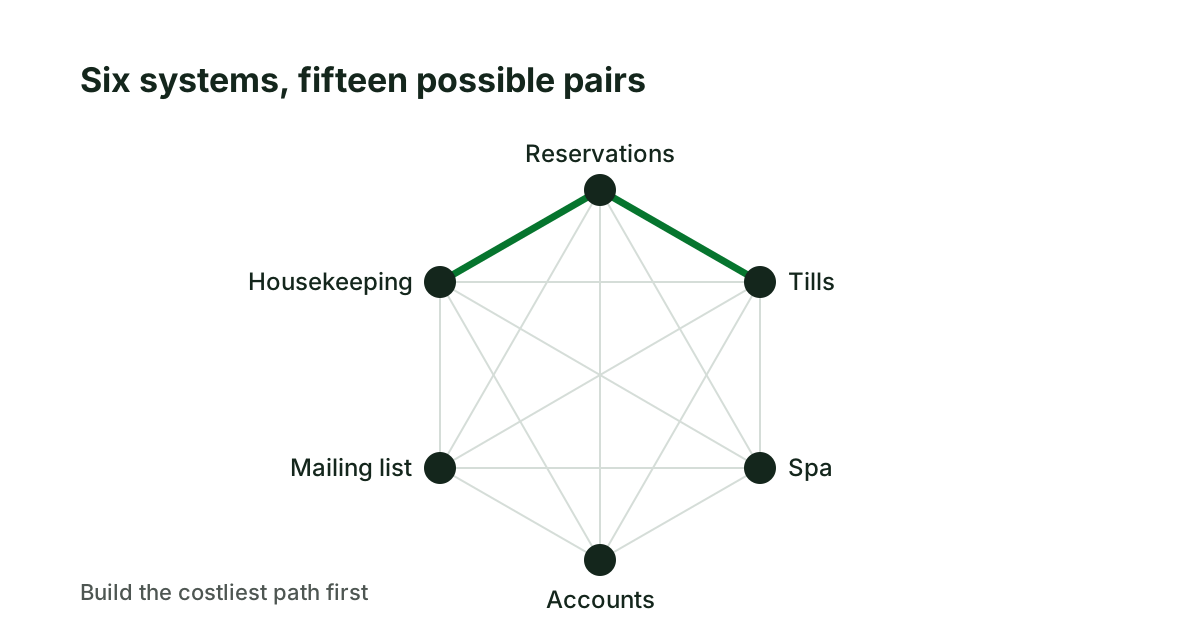
With the map drawn, two decisions follow. First, which path to build first: the one that costs most today. Integration done one path at a time shows results in weeks and teaches something for the next. Second, whether the paths will share a common shape, so that the second is cheaper than the first. A product that sits in the middle and connects everything is one way to get that shape. It is sometimes right. It is the wrong first purchase, because until the map exists nobody knows what it would have to do.
The same map serves when one of the systems is an AI service, as the cases in AI integration examples: five shapes and what each needs show. And where the trouble is work passing between people more than data passing between systems, the subject is a workflow, described in business workflow automation: describe it before you build.
The hotel group's map of six systems
Return to the hotel group, which is invented. The general manager draws the map with her heads of department in an afternoon.
Six systems. Five offer a way to exchange data. The spa's booking software does not, but can export a file each night. Homes: guests and rooms live in reservations, payments in accounts, the mailing list in marketing's system. Connections today: nine, of which two are automatic and seven are people. The costliest is room status. Housekeeping marks a room clean on a phone, a supervisor radios the front desk, the front desk updates reservations. On a full day guests wait in the lobby for rooms that are ready.
The first path is therefore one of the smallest: room status from the housekeeping app to reservations, one direction, with a rule for what happens when reservations is not answering. It goes live in a month. The second is restaurant and spa charges to the guest's bill, which removes most of the month-end pasting. The spa's nightly file is good enough for that.
Three of the fifteen possible pairings turn out to need nothing at all. The group buys no platform. It has two paths running, a map of the rest in order of cost, and a rule that every new connection is written down in the same form as the first two.
Your first integration path
- List your systems and, for each kind of information, name its home.
- List every connection, including the ones a person performs.
- Put hours and errors beside each, roughly.
- Choose one path to do first, and decline anything that promises to connect everything at once.
That first path is where our API and systems integration work starts: a fixed-scope Integration Assessment of one integration path, with an inventory of the systems and their interfaces and the options compared, before anything is built.
Sources
- Gregor Hohpe and Bobby Woolf, Introduction, in Enterprise Integration Patterns, 2003.
Keep reading
Legacy technical debt: the debt nobody decided to take
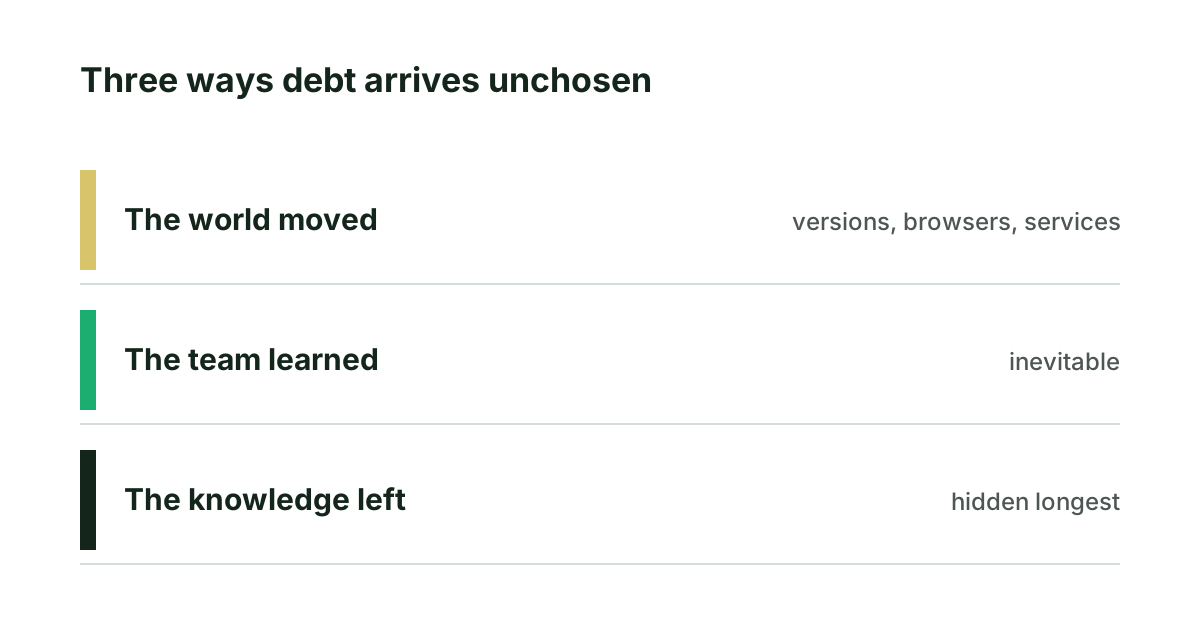
Much technical debt was never a decision: the world moved, the team learned, the knowledge left. Why it stays hidden, and four questions that find it.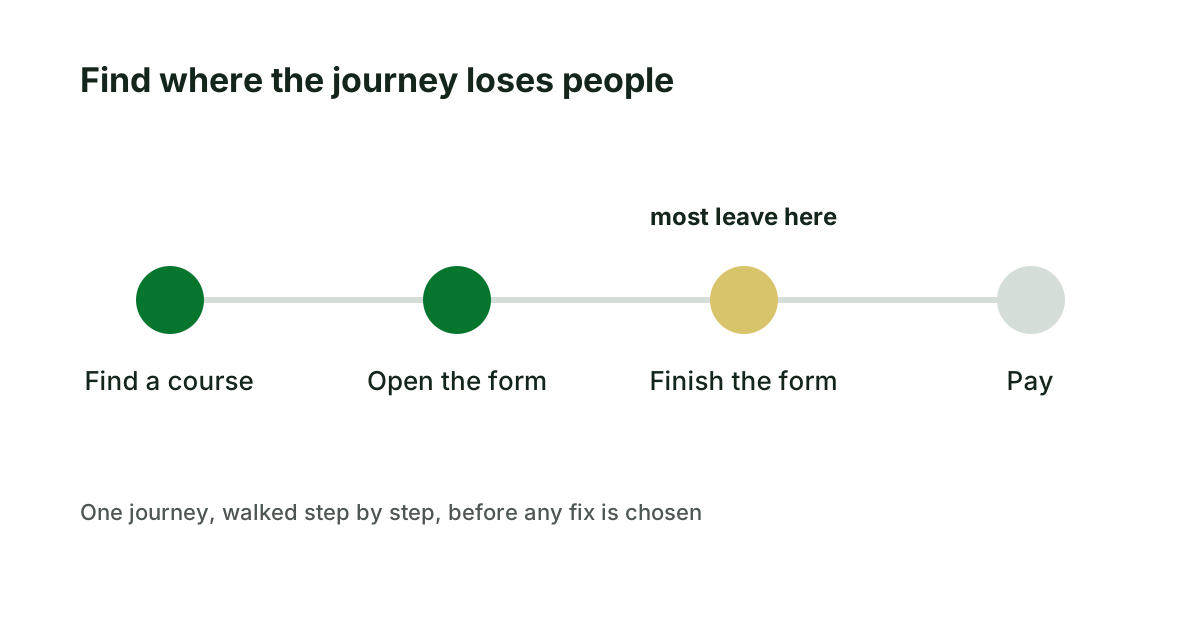
User experience optimization: find the fault first
Before a redesign, find where people give up. How to walk the journeys that matter, read the evidence you already hold, and rank what you find.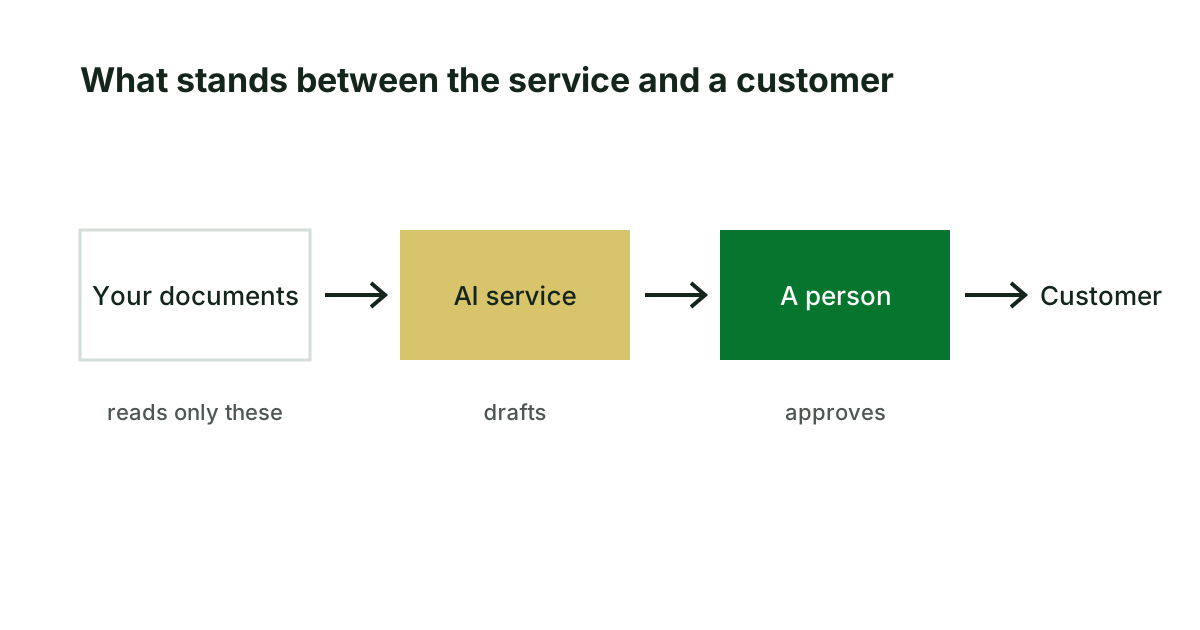
AI integration: connecting a model to systems you run
An AI service that drafts from your own documents is an integration project. Five questions to answer before it goes live, and the two figures to ask for.